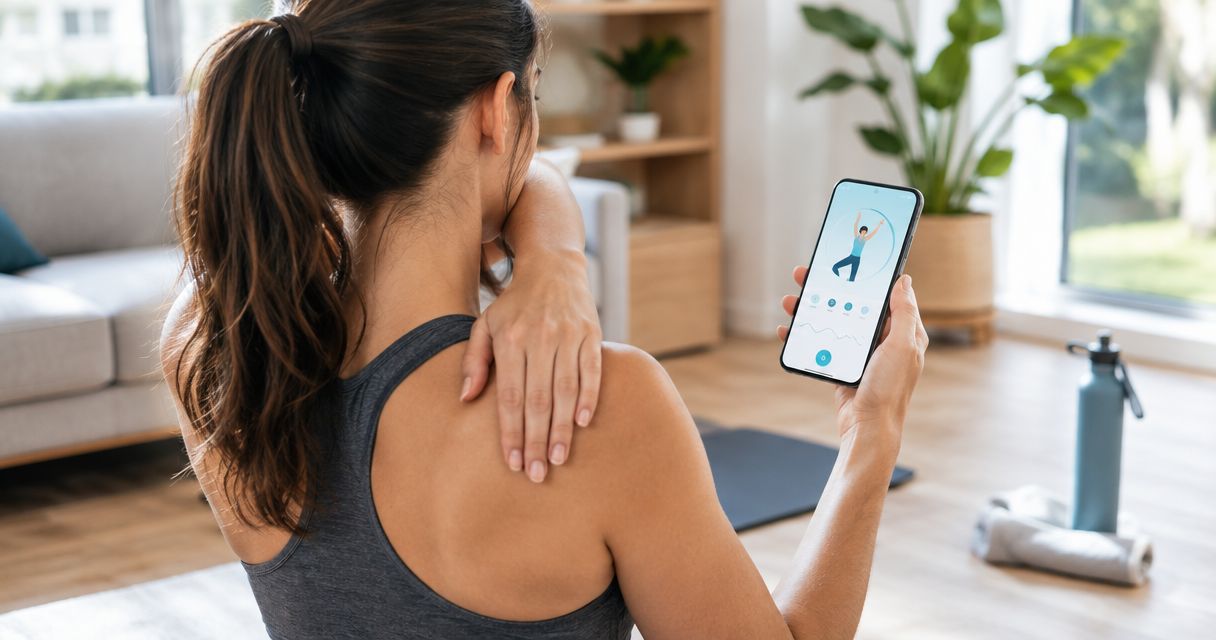
Best overall for guided team mobility: Pliability. Best for assessment-led individual work: GOWOD. Best for coach education: The Ready State. Best for flexibility-focused sessions: STRETCHIT. This 2026 guide separates useful exercise content from the practical work of coaching a group.
- Pliability is the best mobility app for teams that want daily guided mobility, stretching, and recovery videos.
- GOWOD suits assessment-led individual mobility; The Ready State suits coaches who want movement education.
- STRETCHIT fits flexibility-focused practice, rather than replacing a complete team mobility plan.
- Choose team mobility software around session delivery, athlete modifications, and coaching oversight—not the longest exercise library.
Why this matters
A useful mobility app gives athletes something clear to do. A useful team system also gives the coach a way to choose the session, adapt it, and check whether anyone followed it.
Those are different jobs. Good videos do not establish that an app includes group administration, shared reporting, or permission to display content to a whole squad.
For your 2026 shortlist, separate exercise delivery from team management. Start with the movement problem, then check the account and coaching requirements before committing your athletes to a platform.
What makes the best mobility app for teams?
Judge each option against these criteria before comparing names:
- Clear session delivery: Athletes should understand the starting position, movement, and intended effort without constant explanation.
- Training relevance: Choose mobility, stretching, or recovery content that matches the session's purpose. These labels are not interchangeable.
- Individual adaptation: A group routine still needs alternatives for athletes with different abilities, symptoms, and movement restrictions.
- Coach oversight: Decide how you will assign work and discuss completion. Verify any reporting features directly rather than assuming they exist.
- Practical setup: Check space, equipment, device access, and whether the routine works in your actual training environment.
- Account permissions: Confirm the terms for individual accounts, shared screens, and team use before organizing group delivery.
The best choice removes uncertainty from the next session. A large library matters less when athletes still need to search for something appropriate every day.
Best mobility apps for teams at a glance
This 2026 comparison ranks the apps by coaching use case, not by an assumed team dashboard. The limitations describe what each recommendation still leaves the coach responsible for.
| Rank and app | Best for | Standout focus | Key limitation |
|---|---|---|---|
| 1. Pliability | Daily guided mobility and recovery | Mobility, stretching, and recovery video routines | The coach still needs to match routines to the group and confirm team-use arrangements |
| 2. GOWOD | Assessment-led individual mobility | Mobility assessment and personalized mobility work | Individual recommendations need coordination within a shared team schedule |
| 3. The Ready State | Coach-led mobility education | Mobility instruction and movement education | Educational depth does not replace selecting a clear athlete assignment |
| 4. STRETCHIT | Flexibility-focused practice | Guided stretching and flexibility classes | Flexibility practice alone does not cover every demand of team mobility |
These are distinct starting points. Pick the row that matches your main coaching problem rather than treating the ranking as a reason to buy several subscriptions.
1. Pliability: best mobility app for teams wanting daily routines
The subscription app provides daily mobility, stretching, and recovery video routines for athletes and fitness enthusiasts, including HYROX competitors and teams. That makes guided movement practice its clearest fit here.
Use it when the coaching problem is straightforward: athletes need a defined routine instead of another instruction to stretch more. Keep the assignment connected to your training plan rather than presenting every recovery session as interchangeable.
Pliability pros:
- Daily routines provide a clear starting point for regular practice.
- Video instruction gives athletes a movement demonstration to follow.
- Mobility, stretching, and recovery content matches several common coaching needs.
- Its stated audience includes athletes and teams, not only general fitness users.
Pliability cons:
- A shared routine still needs coach-selected modifications for individual athletes.
- Guided content does not replace assessment of pain or injury.
- Team administration and group-display permissions require direct confirmation before rollout.
Best for: Coaches who want guided mobility and recovery content to support a repeatable team habit.
Start with one recurring training context, such as a separate recovery session. Give athletes a clear purpose and permission to stop or modify an uncomfortable movement.
Verdict: Buy for guided daily practice; keep exercise selection and athlete oversight with the coach.
2. GOWOD: best mobility app for assessment-led individual work
GOWOD centers its mobility approach on assessment and personalized work. Its strongest role in this comparison is helping you organize individual mobility priorities rather than giving every athlete the same starting point.
That distinction matters in mixed groups. Two athletes can struggle with the same exercise while needing different coaching responses; a movement assessment offers a starting point, not a diagnosis.
GOWOD pros:
- An assessment-led approach gives individual work a defined starting point.
- Personalized mobility work suits athletes with different priorities.
- The mobility focus keeps the assignment connected to movement practice.
GOWOD cons:
- Different individual assignments require coordination during a shared session.
- An app assessment does not establish the cause of pain or restricted movement.
- Coaches must verify how assignment, completion, and team access work before relying on them.
Best for: Coaches who prioritize individual mobility work within an existing training system.
Set a common session window, then explain which parts athletes complete individually. Do not let assessment results become labels that athletes treat as permanent limitations.
Verdict: Buy for an assessment-led approach; hold if your immediate need is one routine for the entire group.
3. The Ready State: best mobility app for coach-led education
The Ready State provides mobility instruction and movement education. Its place on this shortlist is strongest when the coach wants to understand and teach the work, not only press play.
Education becomes useful when it changes the assignment. Choose a relevant technique, explain its purpose plainly, and connect it to a movement the athlete recognizes.
The Ready State pros:
- Movement education supports a coach-led approach to mobility.
- Technique instruction gives coaches material to explain and demonstrate.
- A mobility focus suits dedicated movement-quality sessions.
The Ready State cons:
- Coaches still need to turn educational content into a concise athlete assignment.
- More explanation is not automatically a better fit for a time-limited group session.
- Instruction cannot replace an individual clinical assessment when symptoms require one.
Best for: Coaches who want to build their own understanding while directing team mobility work.
Avoid turning the session into a lecture. Give athletes one useful cue, watch the movement, and decide whether the chosen exercise serves its purpose.
Verdict: Buy for coach education; hold if you only need a straightforward follow-along assignment.
4. STRETCHIT: best mobility app alternative for flexibility sessions
STRETCHIT provides guided stretching and flexibility classes. Choose this direction when flexibility practice is the actual assignment, rather than using stretching as a catch-all response to every movement problem.
Flexibility concerns available range of motion. Mobility also involves controlling movement through that range, so your wider program still needs to address active movement and strength.
STRETCHIT pros:
- Guided classes give flexibility practice a defined structure.
- A stretching focus makes the purpose of the session clear.
- Class-based delivery suits athletes who prefer following instruction to assembling exercises.
STRETCHIT cons:
- Flexibility work alone does not cover strength and control through range.
- Class selection still needs to reflect the athlete's experience and tolerance.
- A flexibility goal does not automatically match the demands of the next training session.
Best for: Coaches assigning dedicated flexibility practice alongside a broader training program.
For sport-focused stretching considerations, use the guide to stretching apps for athletes to keep the assignment tied to the intended audience.
Verdict: Buy for flexibility-specific practice; skip as the sole answer to every team mobility need.
How the ranking works
This 2026 ranking prioritizes a clear coaching use case: daily routine delivery first, individual assessment second, coach education third, and dedicated flexibility practice fourth.
The criteria are session delivery, training relevance, adaptation, oversight, setup, and permissions. The order is not a claim that one app produces better sporting results than another. Match the recommendation to the job you need done.
Run a small pilot before a team rollout
Use this suggested 7-day pilot to evaluate the workflow. The schedule is a practical coaching template, not a treatment protocol or a promised improvement timeline.
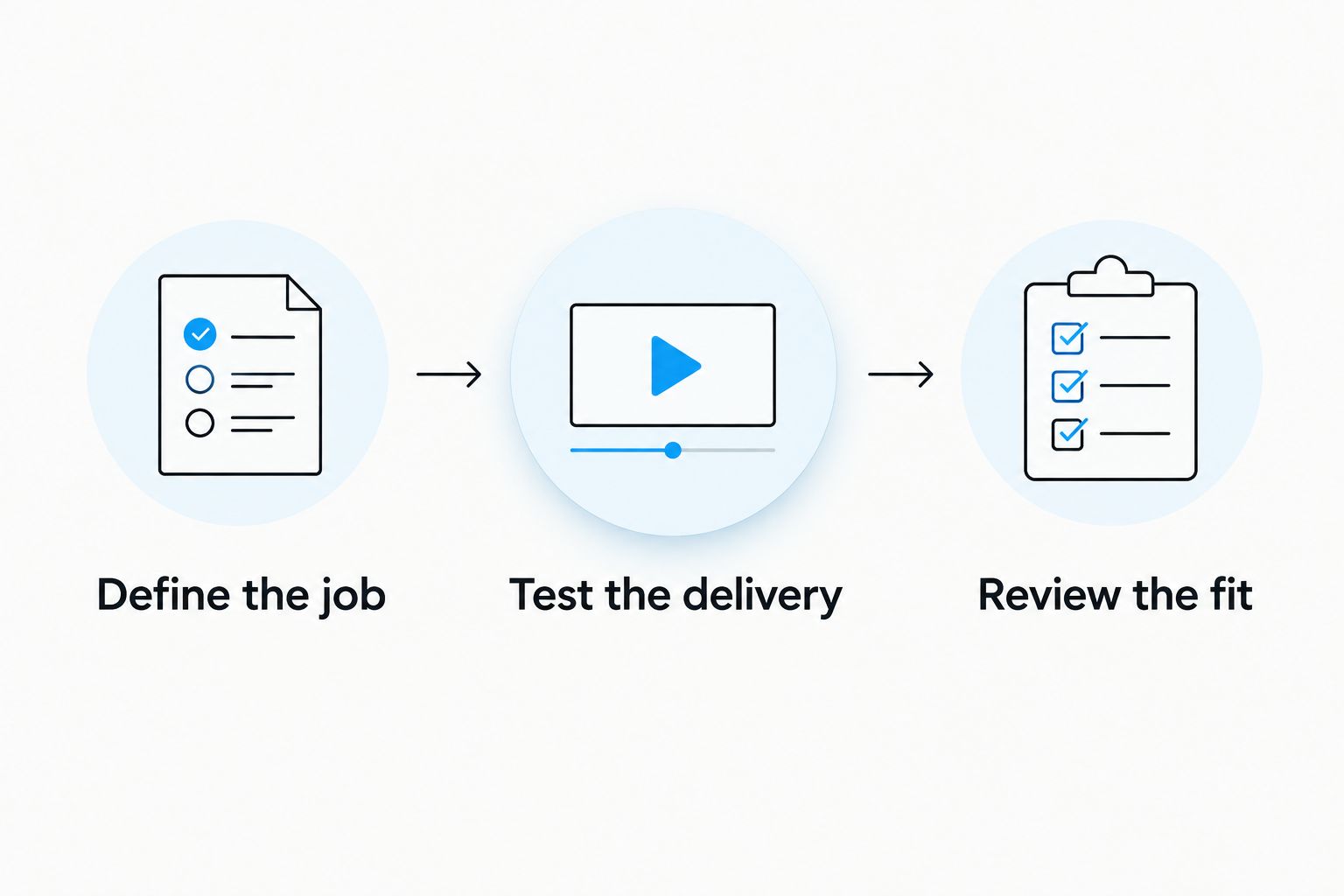
Define the job
Write down one purpose: regular recovery practice, individual mobility work, coach education, or flexibility training. Choose one movement to observe before and after the pilot without treating that observation as a clinical test.
Test the delivery
Schedule 2 sessions during the pilot. Set aside a 10-minute review window afterward to discuss clarity, setup, and modifications; that review window is not a prescribed exercise duration.
Watch whether athletes can follow the instructions and find an appropriate variation. Record problems with the workflow separately from problems with the movement.
Review the fit
Ask athletes what they completed and what they changed. Check whether the assignment was clear enough to repeat without another long explanation.
Keep the pilot focused. If athletes misunderstand the task, simplify the assignment before adding more routines or another platform.
Which mobility app should your team choose?
Pliability is the best mobility app for teams that want daily guided mobility, stretching, and recovery routines. Choose GOWOD when individual assessment drives the assignment, The Ready State when coach education comes first, and STRETCHIT when the goal is dedicated flexibility practice.
For your 2026 decision, settle the coaching workflow before the subscription choice. Identify who selects the routine, who provides modifications, and how athletes report a problem.
Do not buy software to avoid those decisions. Make them first, then choose the content that supports them.
FAQ
What's the best mobility app for teams in 2026?
The best mobility app for teams depends on whether you need daily routines, individual assessment, coach education, or flexibility classes. Choose guided routine delivery for shared practice, then verify team access and account permissions directly.
Can a coach use one mobility routine for the whole team?
A coach can use a shared routine when the movements suit the group and individual modifications are available. Different symptoms and movement abilities still require individual attention.
Is GOWOD better than a follow-along mobility app?
GOWOD is the more relevant starting point when assessment-led individual mobility is your priority. Follow-along routines address a different coaching need: giving athletes a defined session to complete.
Do teams need stretching or mobility training?
Teams should choose stretching or mobility work according to the task, not treat the terms as identical. Flexibility concerns available range; mobility also involves controlling movement through that range.
How do I check whether athletes complete their mobility work?
Use a clear assignment and a repeatable check-in process. Verify any in-app completion reporting before depending on it, and ask athletes about modifications as well as completion.
Can a mobility app treat an athlete's hip or shoulder pain?
A mobility app does not diagnose the cause of hip or shoulder pain. Stop movements that provoke pain and seek an appropriate qualified assessment rather than pushing through the routine.
What should a coach check before choosing a team mobility subscription?
Check exercise suitability, instruction, modifications, account terms, and the way assignments will reach athletes. Confirm shared-screen and team-use permissions instead of assuming an individual subscription covers group delivery.
One last thing
Completion is not the same as a useful session. An athlete can finish every video while rushing positions, ignoring discomfort, or misunderstanding the task.
At the next check-in, ask for a demonstration of one assigned movement. That gives you something concrete to coach—not just a completed checkbox.