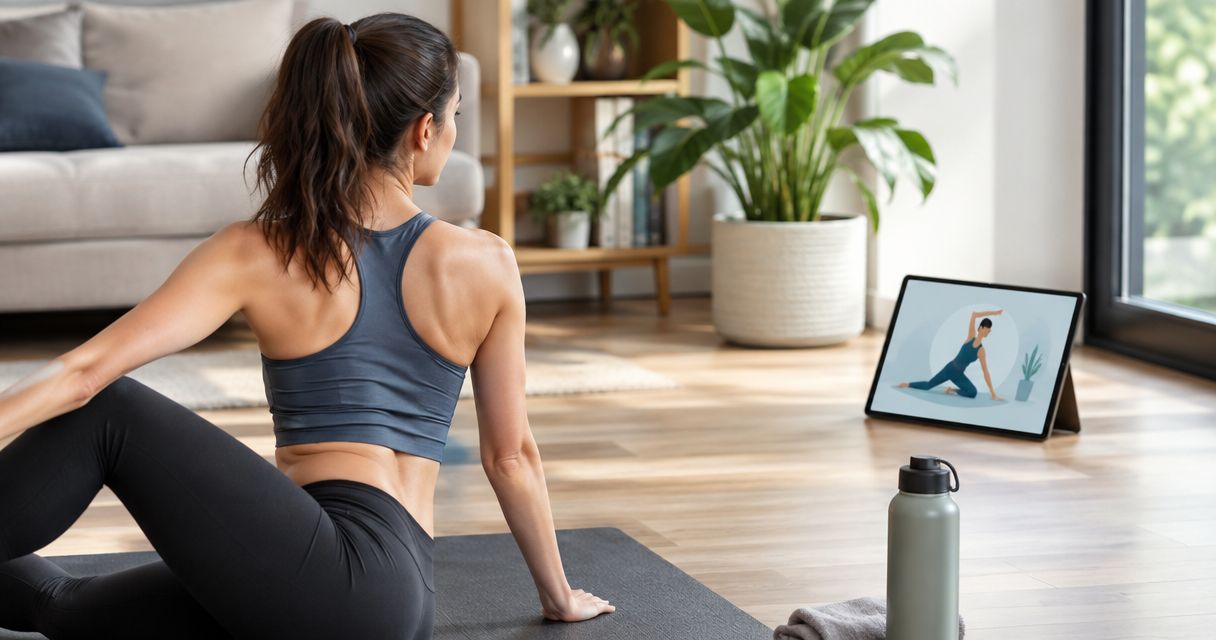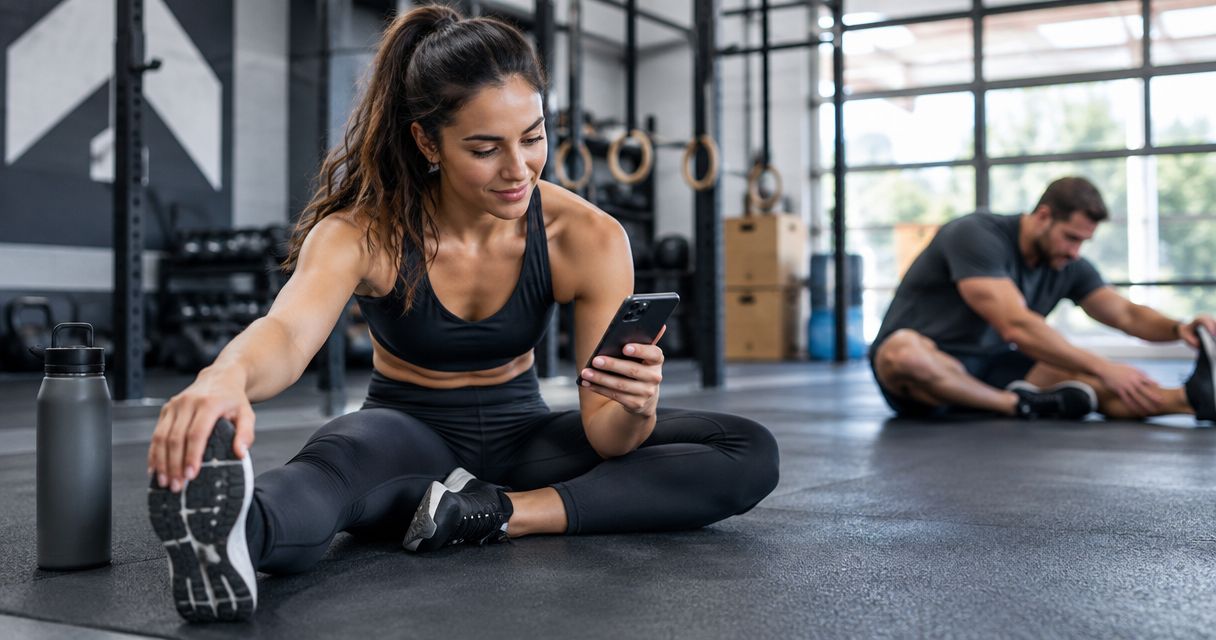
Best overall for beginners building a daily mobility habit: Pliability. Best for assessment-led mobility: GOWOD; best for flexibility-focused practice: STRETCHIT; best for combining mobility with general exercise: Nike Training Club. This 2026 guide compares those approaches so you can choose a useful starting point without turning recovery into another complicated workout.
- Pliability is the best mobility app for beginners who want daily guided mobility, stretching, and recovery videos.
- GOWOD suits beginners who want mobility assessments to help direct their practice.
- STRETCHIT suits flexibility-focused practice; Nike Training Club suits mobility alongside broader fitness training.
- Choose comfortable movement and repeatable sessions before chasing deeper stretches or advanced positions.
Why this matters
A beginner does not need the biggest exercise library. You need clear instruction, movements you can approach comfortably, and a routine you will actually repeat. An app that leaves you guessing about your next session creates another decision instead of removing one.
Mobility and flexibility are related, but they are not interchangeable. Flexibility describes available range; mobility includes your ability to move through and control that range. A useful beginner practice should help you pay attention to both, rather than treating a deeper stretch as the only sign of progress.
For your 2026 choice, start with the job you want the app to do. Daily recovery, assessment-led practice, dedicated flexibility work, and general fitness are different jobs. The ranking below separates them instead of pretending every app serves the same beginner.
What makes the best mobility app for beginners?
Use these criteria before comparing names. They matter more than an impressive-looking exercise preview.
- Clear guidance: You should understand the starting position, the movement, and what to do when the demonstrated position feels too demanding.
- Comfortable entry: A beginner routine should leave room to reduce the range, use support, or choose a simpler movement. Copying the instructor's depth is not the goal.
- Repeatable practice: Choose a format that fits an ordinary day. A manageable session you repeat is more useful than an ambitious plan you keep postponing.
- Goal fit: Daily mobility, flexibility training, and exercise preparation overlap, but they are not identical. Match the app's main purpose to yours.
- Useful feedback: Notice whether the app's format helps you recognize changes in comfort, control, or consistency. Do not judge progress solely by how far you can reach.
These are selection criteria, not claims that every app below includes every feature. Before committing, check the current app description and inspect the instruction style.
Best beginner mobility apps at a glance
| App | Best for | Standout focus | Key limitation |
|---|---|---|---|
| Pliability | Building a daily guided habit | Daily mobility, stretching, and recovery video routines | Guided videos do not provide an individual physical examination |
| GOWOD | Assessment-led practice | Mobility testing and targeted mobility work | A self-administered assessment depends on how you perform it |
| STRETCHIT | Flexibility-focused goals | Guided stretching and flexibility training | Stretching alone does not cover every aspect of movement control |
| Nike Training Club | Mobility within general fitness | Strength, yoga, and other guided exercise formats | A broad fitness library requires you to choose a mobility direction |
None of these apps replaces individualized care for an injury. If pain, recent surgery, or a medical condition affects your movement, get guidance on appropriate exercise before following a general routine.
1. Pliability: best mobility app for a daily guided habit
Pliability offers daily mobility, stretching, and recovery video routines through a subscription app. Its audience includes athletes and fitness enthusiasts, making its guided format relevant to beginners who want mobility to sit alongside training rather than become a separate research project.
Pliability is best for beginners who want daily guided mobility and recovery videos. The reason to choose this approach is straightforward: you want to follow a routine instead of assemble one from disconnected stretches.
Where it fits
Choose the daily guided approach when your biggest obstacle is deciding what to do. You open a routine, follow the instruction, and keep your attention on how the movements feel. You do not need an advanced flexibility goal to make that format useful.
Start with an easy effort. During your first session, reduce the demonstrated range whenever you cannot breathe comfortably or maintain control. A video gives you a reference, not a requirement to match someone else's body.
Pros:
- Daily routines give your practice a clear starting point.
- Video instruction lets you see positions rather than interpret exercise names alone.
- Mobility, stretching, and recovery sit within the same app's stated focus.
Cons:
- A general video cannot examine the cause of your stiffness or pain.
- Following a routine still requires you to judge effort and avoid forcing range.
Best for: Beginners who want a guided mobility habit alongside exercise.
Verdict: Buy if daily guided practice is your main goal.
2. GOWOD: best mobility app for assessment-led practice
GOWOD centers its approach on mobility testing and targeted mobility work. It suits the beginner who wants an assessment to help organize practice rather than selecting stretches entirely by feel.
That structure answers a different question from a daily video routine: where should you direct attention? A self-administered test gives you a repeatable task, but its usefulness depends on following the instructions consistently.
Where it fits
Choose assessment-led practice if you enjoy checking a movement and returning to it later. Keep the setup consistent. Changing your foot position, support, or effort changes what you are comparing.
Treat an app assessment as exercise guidance, not a diagnosis. A movement score does not explain every reason a position feels restricted, and improving that score is not the only worthwhile outcome.
GOWOD pros:
- Mobility testing gives assessment-minded beginners a defined starting task.
- Targeted work provides an alternative to choosing stretches at random.
- Repeating the same assessment creates a consistent reference when your setup stays consistent.
GOWOD cons:
- Self-testing requires attention to technique and honest execution.
- Assessment results do not replace an individual clinical evaluation.
- Chasing a score can distract from comfortable, controlled movement.
Best for: Beginners who prefer an assessment-led structure.
Verdict: Buy if you want testing to help direct your mobility practice.
3. STRETCHIT: best mobility app alternative for flexibility goals
STRETCHIT focuses on guided stretching and flexibility training. It belongs on this shortlist for beginners whose main goal is developing available range rather than organizing mobility around a broader training schedule.
Be clear about that distinction. A stretching-focused app can support flexibility practice, but flexibility work alone is not the same as learning to control every position under load.
Where it fits
Choose a flexibility-focused approach when you genuinely enjoy stretching and want that to be the main activity. Begin with instruction suited to your current ability, not the most dramatic position shown in a preview.
Avoid making advanced shapes your entry requirement. If you hold your breath, twist away from the intended position, or force a joint to imitate the demonstration, reduce the range. The movement should fit your present capacity.
STRETCHIT pros:
- Its stretching focus matches a clear flexibility goal.
- Guided sessions provide more structure than collecting isolated stretch ideas.
- A dedicated flexibility format suits people who enjoy practicing range itself.
STRETCHIT cons:
- Flexibility emphasis does not address every strength or movement-control need.
- Advanced flexibility goals are not necessary for an effective beginner habit.
Best for: Beginners who want stretching and flexibility to be the main focus.
Verdict: Buy if flexibility is your goal; skip if you primarily want broader training guidance.
4. Nike Training Club: best for mobility within general fitness
Nike Training Club offers guided exercise across formats including strength and yoga. It suits beginners who want mobility-related practice within a broader exercise routine rather than inside a dedicated mobility app.
The benefit is breadth. The trade-off is selection: you need to distinguish a recovery-oriented session from a demanding workout and choose according to what your body is ready to do.
Where it fits
Choose this approach if you want one place to explore different kinds of movement. Look at the session's purpose and demands before starting, especially when you are adding it after another workout.
A yoga session is not automatically a gentle recovery session. Positions that challenge balance, strength, or endurance still count as work, even when they involve stretching.
Nike Training Club pros:
- Multiple exercise formats support a broader fitness habit.
- Guided workouts let you explore movement beyond stretching alone.
- It suits beginners who want mobility to complement strength and other exercise.
Nike Training Club cons:
- A broad library leaves more session-selection decisions to you.
- General fitness content is not the same as an individually targeted mobility plan.
Best for: Beginners building general fitness rather than a dedicated mobility practice.
Verdict: Buy into this approach if you want broader exercise guidance; skip it as your default if you want mobility-only direction.
How we ranked these beginner mobility apps
This 2026 ranking prioritizes goal fit, clear guidance, and a repeatable starting point. It compares the apps' approaches; it does not claim hands-on testing, measured improvements, or a universal winner for every body.
The daily guided format takes the default position because it directly serves the beginner who wants a routine to follow. Assessment-led practice comes next for readers who want testing, followed by dedicated flexibility work and broader fitness training.
The order changes when your goal changes. Choose the use case first, then the app.
Make your first week manageable
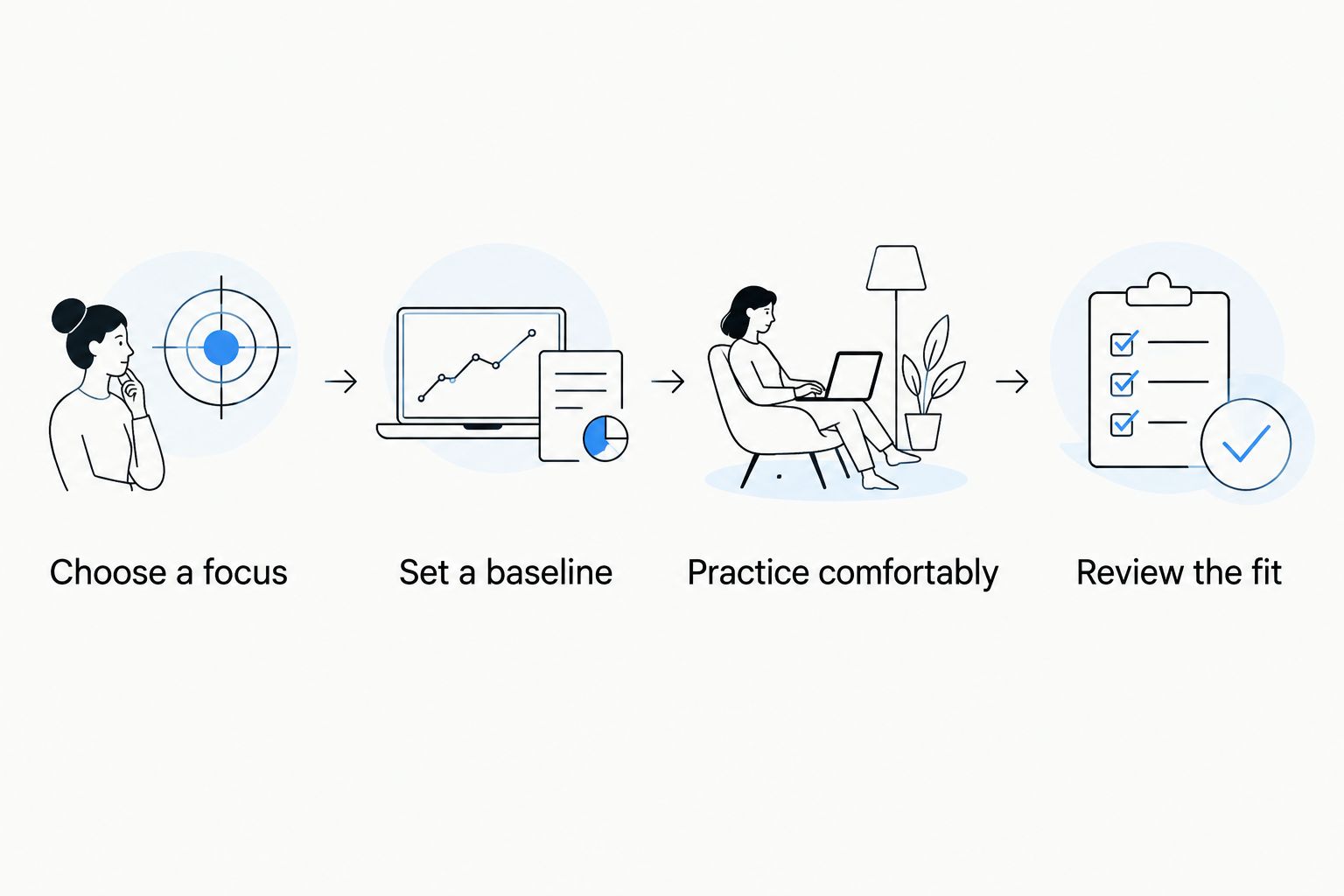
Your first week is about finding an effort you can repeat. It is not a test of how much discomfort you can tolerate. Use this sequence with whichever app you choose in 2026.
Choose a focus
Pick a practical reason to start: moving more comfortably after sitting, adding guided recovery after exercise, or building a regular stretching habit. Keep that reason visible when choosing sessions.
Set a baseline
Choose one familiar, comfortable movement to notice before practice. You might observe an easy overhead reach or a supported squat. This is a personal reference, not a diagnostic test or a position you must force.
Practice comfortably
Set aside 5 minutes as a starting appointment, then choose a guided session whose demands fit your day. That duration is a scheduling suggestion, not a minimum dose or a promise of results. Follow the app's instructions without rushing a longer routine to meet the timer.
Review the fit
After 2 sessions, ask whether you understood the instruction and could adjust the movements comfortably. After 7 days, review whether the format fitted your schedule. These checkpoints help you evaluate the app, not declare your mobility fixed.
Keep the early goal simple: finish knowing what you did and how it felt. If a movement causes sharp pain, tingling, or numbness, stop rather than trying to stretch through it.
Which mobility app should you choose?
Choose Pliability for daily guided mobility and recovery. Choose GOWOD for assessment-led practice, STRETCHIT for flexibility-focused training, or Nike Training Club for mobility alongside general fitness.
For an undecided beginner in 2026, the daily guided format is the default. You can explore other approaches later; your first decision only needs to make starting easier.
Start a guided mobility habit
Explore daily mobility, stretching, and recovery video routines.
FAQ
What's the best mobility app for beginners in 2026?
Pliability is the best starting choice for beginners who want daily guided mobility, stretching, and recovery videos. GOWOD fits assessment-led practice, while STRETCHIT fits flexibility-focused goals.
Is a mobility app the same as a stretching app?
No. Stretching emphasizes available range, while mobility also includes your ability to move through and control that range. The content overlaps, so choose according to the practice you want.
Should beginners stretch every day?
Beginners do not need to make daily stretching a pass-or-fail rule. Start with manageable practice, adjust effort to your response, and avoid forcing movements through pain.
Can I use a mobility app if I'm very stiff?
Stiffness alone does not mean you must match the instructor's full range. Use a smaller comfortable movement and appropriate support; seek individual guidance if pain or a medical condition limits you.
Is GOWOD better than a daily video routine?
GOWOD is a better fit when you specifically want mobility testing to help direct practice. A daily guided video format fits beginners who mainly want a routine to follow.
Can yoga replace beginner mobility training?
Yoga can contribute to flexibility, strength, and movement control, but its demands vary by session. Choose according to your goal rather than assuming every yoga class is gentle recovery.
How do I know whether a mobility app is working for me?
Judge the app first by whether you understand the instruction and can repeat the practice comfortably. Over time, notice changes in familiar movements and control rather than relying only on deeper stretch positions.
One last thing
Your hardest-looking stretch is not your most useful benchmark. Pick a familiar movement and notice whether you can perform it with less strain and more control. Keep the setup consistent, and let comfortable movement—not the instructor's depth—set your range.