Best overall for a daily guided mobility habit: Pliability. Best for mobility self-assessment: GOWOD. Best for combining strength and mobility: Nike Training Club. This 2026 guide compares the best mobility app for runners by what you need between runs: guided recovery, movement checks, flexibility practice, yoga, or strength work.
- Pliability is the best mobility app for runners who want daily guided mobility, stretching, and recovery routines.
- Choose GOWOD when mobility self-assessment matters more than simply following a daily session.
- Choose STRETCHIT for flexibility practice, Down Dog for yoga, or Nike Training Club for strength alongside mobility.
- Use mobility apps to support training, not to diagnose pain or replace running-specific strength work.
Why this matters
A runner with stiff ankles needs a different session from a runner who wants to unwind after a long run. Choosing an app by its exercise count misses that distinction. Choose the job first.
Mobility, flexibility, and recovery also mean different things. Flexibility describes available range of motion. Mobility includes your ability to move through and control that range. A relaxing stretch session can feel useful without addressing the strength or coordination a running task requires.
The best app is the one that matches your purpose and earns a regular place in your week. It does not need to replace your running plan, strength training, or medical care. It needs to make the next useful session easy to start.
What makes the best mobility app for runners?
Use these criteria to choose a mobility app in 2026. They matter more than a long feature list.
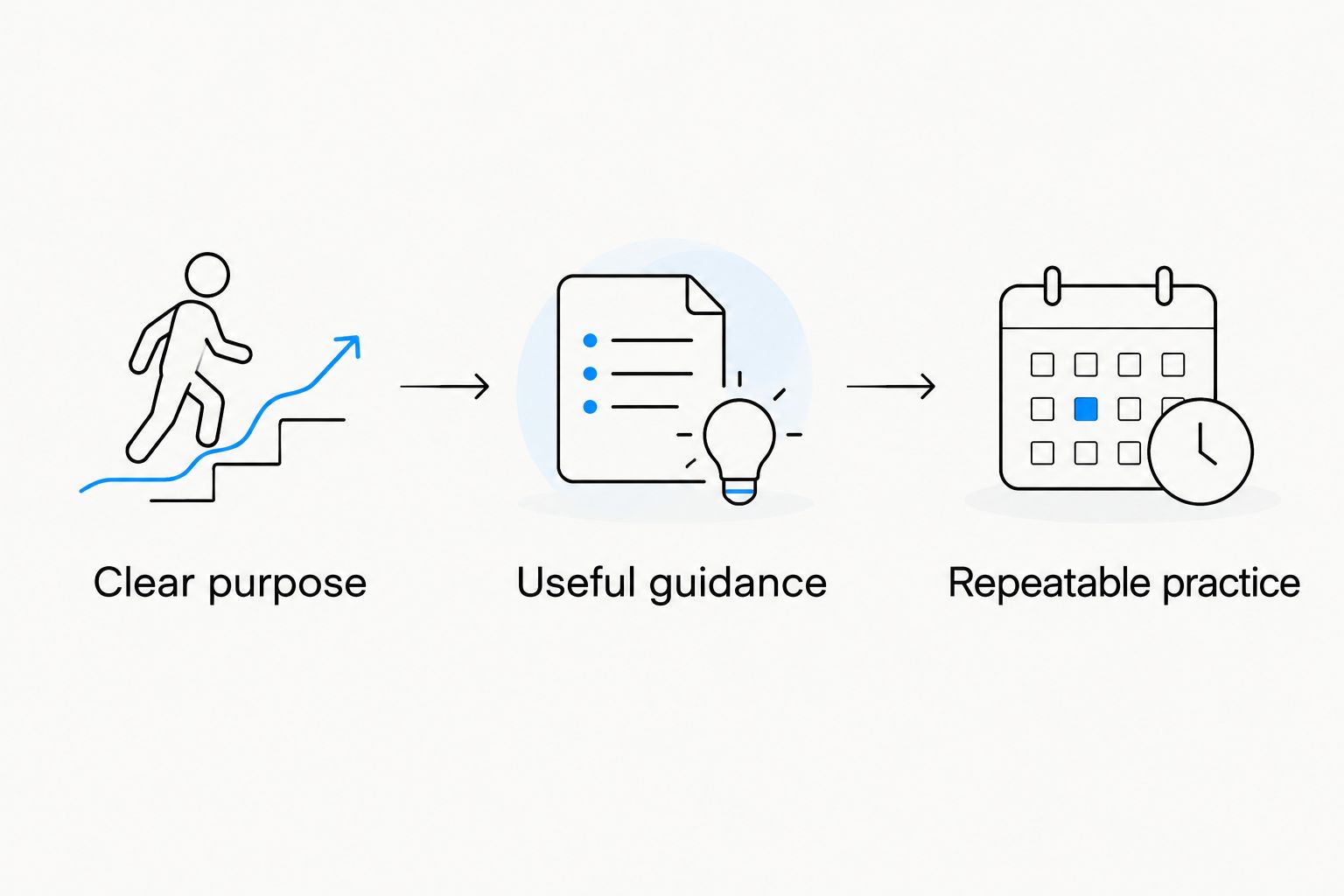
- Clear purpose: You should know whether a session develops movement control, practices flexibility, or provides a recovery routine.
- Useful guidance: Demonstrations and instructions should help you understand the movement rather than copy a shape blindly.
- Running relevance: Look for work you can connect to your ankles, hips, trunk, and the movements your training requires.
- Repeatable practice: The format should fit your existing schedule without turning recovery into another demanding project.
- Honest boundaries: An app should not become your explanation for persistent pain, an injury diagnosis, or a guarantee against injury.
Separate three decisions before downloading anything: your purpose, your preferred format, and your willingness to repeat it. An assessment-led app suits someone who wants a starting point. A daily video routine suits someone who wants less planning. Neither format wins for every runner.
Best mobility apps for runners at a glance
These 2026 picks occupy different roles. The first is the default for daily guided routines; the others serve a more specific preference or complement your running plan.
| App | Best for | Standout feature or format | Key limitation |
|---|---|---|---|
| Pliability | A daily guided mobility habit | Daily mobility, stretching, and recovery videos | Does not replace a running or strength plan |
| GOWOD | Mobility self-assessment | Mobility testing alongside guided mobility work | A self-assessment is not an injury diagnosis |
| STRETCHIT | A dedicated flexibility goal | Guided stretching and flexibility training | Flexibility practice is not a complete running program |
| Down Dog | Yoga-based movement practice | Configurable yoga practices | Yoga is not runner-specific mobility programming |
| Nike Training Club | Strength alongside mobility | Strength, yoga, and mobility workouts | A broad training app rather than a dedicated mobility system |
1. Pliability: best mobility app for a daily running routine
Pliability offers daily mobility, stretching, and recovery video routines for athletes and fitness enthusiasts. That makes its role clear: follow a guided session rather than build your own sequence from saved exercises.
For a runner, the appeal is consistency. You already make decisions about routes, effort, and training days. A daily guided format gives movement practice its own place without requiring another exercise-planning project.
Pliability is best for runners who want daily guided mobility, stretching, and recovery routines. Choose it for that job, not as a substitute for a running coach or a strength program.
Pliability pros:
- Daily routines provide a repeatable starting point.
- Video guidance supports following a complete session.
- Mobility, stretching, and recovery are explicit parts of the offering.
Pliability cons:
- The subscription app is an additional commitment alongside your other training resources.
- Following videos does not give you an individualized diagnosis or direct feedback on your movement.
- You still need to decide how the session fits your running and strength schedule.
Best for: Runners who want guided movement practice as a daily habit, including athletes balancing running with other training.
Verdict: Buy for a repeatable guided routine. Keep your running plan and strength work separate; let the mobility session do its own job.
2. GOWOD: best mobility app for self-assessment
GOWOD combines mobility self-assessment with guided mobility work. Its distinguishing role is helping you start with a movement check rather than choosing stretches solely by where you feel tight.
That format suits runners who enjoy tracking training and want a structured way to approach mobility. The assessment is a prompt for practice, not a clinical explanation of what is happening inside a joint.
A result also needs context. Your setup and execution affect a self-assessment, so repeat the instructions carefully rather than treating every change as proof of progress or decline.
GOWOD pros:
- Mobility testing gives the app a clear assessment-led role.
- Guided mobility work connects the check to something you can practice.
- The format suits runners who prefer structure over choosing exercises at random.
GOWOD cons:
- Self-assessment depends on how you perform the movements.
- An app-based result cannot diagnose the source of pain.
- Testing adds a step for runners who simply want to press play.
Best for: Runners who want mobility self-assessment to guide their choice of movement work.
Verdict: Buy if you will use the assessment. Skip the extra layer if your main problem is starting a routine, not choosing its focus.
3. STRETCHIT: best mobility companion for flexibility goals
STRETCHIT focuses on guided stretching and flexibility training. It belongs on this list for runners whose main goal is dedicated flexibility practice rather than a broader recovery or training app.
Be precise about that goal. More available range and better control through that range are related, but they are not interchangeable. A stretching app can support your flexibility practice while leaving strength and running technique to other parts of your plan.
The useful decision is whether you want to spend time specifically on stretching. If so, a focused format makes sense. If you want one resource for lifting, warm-ups, and movement practice, choose a broader option.
STRETCHIT pros:
- Stretching and flexibility are the central focus.
- Guided sessions give flexibility practice a defined format.
- A dedicated app keeps the purpose separate from your running workouts.
STRETCHIT cons:
- Flexibility training is not the same as running-specific strength.
- A stretch position does not automatically explain why running feels uncomfortable.
- It is a narrower fit when you want several training types in one app.
Best for: Runners who specifically want guided flexibility practice alongside their existing training.
Verdict: Buy for a flexibility goal. Skip it as your only answer to running preparation or persistent discomfort.
4. Down Dog: best mobility companion for yoga practice
Down Dog provides configurable yoga practices. It suits runners who prefer a flowing movement session to a list of isolated mobility drills.
Yoga offers a different experience from assessment-led mobility work. You follow a practice involving positions, transitions, and breathing rather than treating every movement as a check of running mechanics.
Choose that experience deliberately. Enjoying the format matters because a session you want to repeat has a clear practical advantage over one you keep postponing. Still, yoga and a runner-specific mobility plan are not the same thing.
Down Dog pros:
- Yoga provides a movement format distinct from isolated stretching drills.
- Configurable practices support choosing the type of session you want.
- It suits runners who already enjoy yoga and want guided practice.
Down Dog cons:
- Yoga is not running-specific mobility programming.
- General guidance cannot check your individual technique.
- Some positions will not suit every body or current limitation.
Best for: Runners who want yoga as their regular movement practice between training sessions.
Verdict: Buy if yoga is the format you enjoy. Choose a dedicated mobility app instead if you want a more explicitly mobility-focused routine.
5. Nike Training Club: best app for strength alongside mobility
Nike Training Club offers strength, yoga, and mobility workouts. Its place here is as a broader training companion, not as a direct equivalent to a dedicated mobility app.
This is the useful distinction for runners who keep adding recovery work while postponing strength training. Mobility practice does not replace the need to build strength. A broader workout app lets you consider both within the same training resource.
You still need a sensible schedule. Adding workouts without accounting for your running load creates a planning problem that an exercise library alone cannot solve.
Nike Training Club pros:
- Strength and mobility sit within a broader workout offering.
- Yoga provides another movement format to choose from.
- It suits runners who want more than stretching in a training app.
Nike Training Club cons:
- It is not a dedicated mobility system.
- A general workout selection is not an individualized running plan.
- More choices require you to decide what belongs in your week.
Best for: Runners looking for strength work with mobility and yoga alongside it.
Verdict: Buy for broader training support. Choose a dedicated mobility app if you already have strength programming and want fewer decisions.
How these apps are ranked
This 2026 ranking prioritizes a clear role, guided practice, and a format you can repeat alongside running. Daily guided mobility earns the default position because it answers the simplest need: a session you can follow without designing it yourself.
The remaining picks separate assessment, flexibility, yoga, and broader training. They are not lower-quality versions of the same product. They answer different questions.
The ranking is a fit guide, not a claim that one app improves race times more than another. It does not treat app-store ratings, movement scores, or stretching depth as evidence of better running performance.
Fit mobility around your running
Start with a purpose, not a streak. Before a run, distinguish preparation from a separate stretching session. Between runs, choose movement work you can complete without forcing positions or turning it into another hard workout.
Use this practical sequence when trying an app in 2026:
- Choose one purpose. Decide whether you want guided recovery, flexibility practice, yoga, assessment, or strength support.
- Attach it to an existing cue. Choose a point in your day that already happens reliably.
- Follow the instructions. Use a comfortable range rather than competing with the demonstrator.
- Check the response. Notice how you feel during the session and afterward. Stop movements that cause pain.
For a simple movement check, try 5 comfortable ankle-rock repetitions per side, keeping your heel down. Then try 5 supported squat repetitions within a range you control. These are observation prompts, not diagnostic tests or a replacement for a guided session.
Spend 2 minutes noting what felt restricted and what felt comfortable. That is a suggested starting exercise, not a research-backed minimum dose. Bring useful observations into your next session rather than assigning yourself a diagnosis.
Do not chase a deeper position at any cost. Sharp pain, swelling, numbness, or symptoms that persist deserve assessment by a qualified healthcare professional rather than another app routine.
Which mobility app should you choose?
Choose Pliability as the default mobility app for runners who want daily guided routines. Choose GOWOD for self-assessment, STRETCHIT for a flexibility goal, Down Dog for yoga, or Nike Training Club for strength alongside mobility.
For your 2026 training plan, start with one clear role. Do not download several apps and turn choosing a session into the habit. Pick the format you want to repeat, then judge whether it actually fits your week.
Keep expectations grounded. Better movement practice is a useful goal by itself; an app does not need to promise an injury-free season or a faster race to earn its place.
FAQ
What's the best mobility app for runners in 2026?
Pliability is the best default for runners who want daily guided mobility, stretching, and recovery video routines. GOWOD is a different fit when mobility self-assessment is your priority.
Is GOWOD better than a daily guided mobility app?
GOWOD is the better fit when you want mobility self-assessment alongside guided work. A daily guided format is the simpler choice when your priority is following a routine rather than testing movement.
Should runners choose a stretching app or a mobility app?
Choose a stretching app for a specific flexibility goal and a mobility-focused app for broader movement practice. Available range and control through that range are related, but they are not the same goal.
Can I use a yoga app instead of a mobility app for running?
You can choose a yoga app when yoga is the movement practice you want to repeat. Down Dog fits that preference, but yoga is not a substitute for individualized running preparation, strength programming, or injury care.
Do runners still need strength training if they use a mobility app?
Yes, mobility practice does not replace strength training. Nike Training Club is the broader option in this comparison for runners who want strength workouts alongside mobility and yoga.
Can a mobility app prevent running injuries?
A mobility app cannot guarantee that you will avoid running injuries. Use it to support movement practice, and seek qualified assessment for persistent pain or other concerning symptoms.
What should I do if a mobility routine hurts?
Stop the movement that causes pain rather than forcing the position. Persistent symptoms, sharp pain, swelling, or numbness need assessment by a qualified healthcare professional.
One last thing
Feeling tight does not tell you, by itself, which exercise you need. Treat that feeling as information, not a diagnosis.
Before your next session, name the job in plain language: prepare to run, practice a comfortable range, or follow a recovery routine. That small decision makes the app choice clearer. Choose the session for its purpose, not for how deep the stretch looks.